Why Flamingo
Built for people who'd rather keep their books than rent them.
QuickBooks Desktop Pro and Premier are no longer sold to new customers, and most of what's left is a monthly subscription that stops working when you stop paying. Flamingo Ledger takes the other road.
You own the file
Each company is one file you can copy, back up, and hand to your accountant. Attachments travel inside it. Nothing checks in with a server to let you open your own books.
.flamingo · a standard SQLite file
Your businesses and your household, together
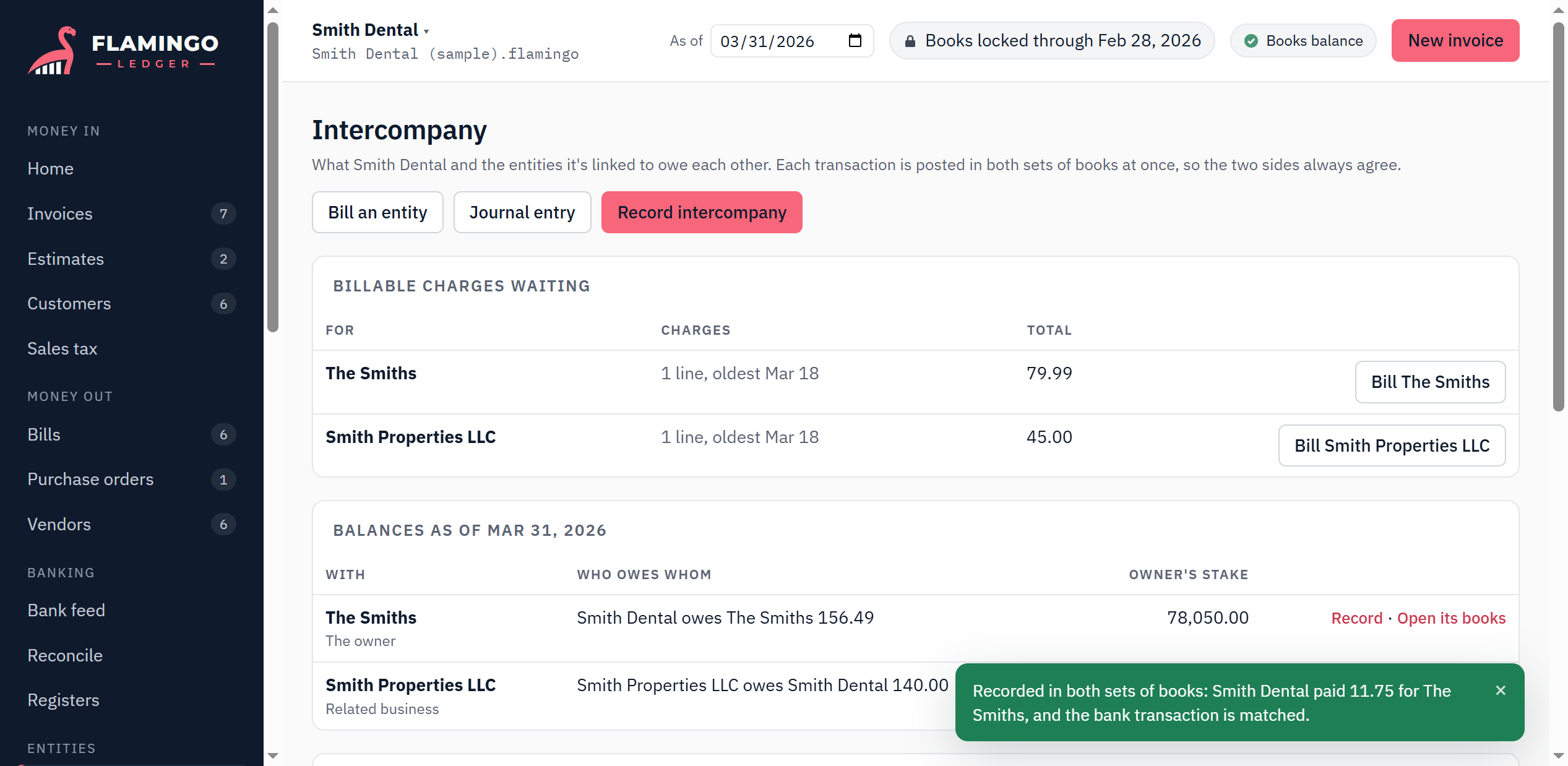
Keep several businesses and your personal books in one file. A purchase one entity makes for another is recorded on both sides at once, so the balances always agree, and combined statements remove what they owe each other.
Intercompany · combined statements
Books that can't be quietly changed
Posted entries are never edited, only reversed, so the history stays intact. Lock a month and it stays locked: reopening it takes a reason, and everything changed afterwards is listed for review.
Audit trail · period locks · month-end review
Features
Everything a small business runs on.
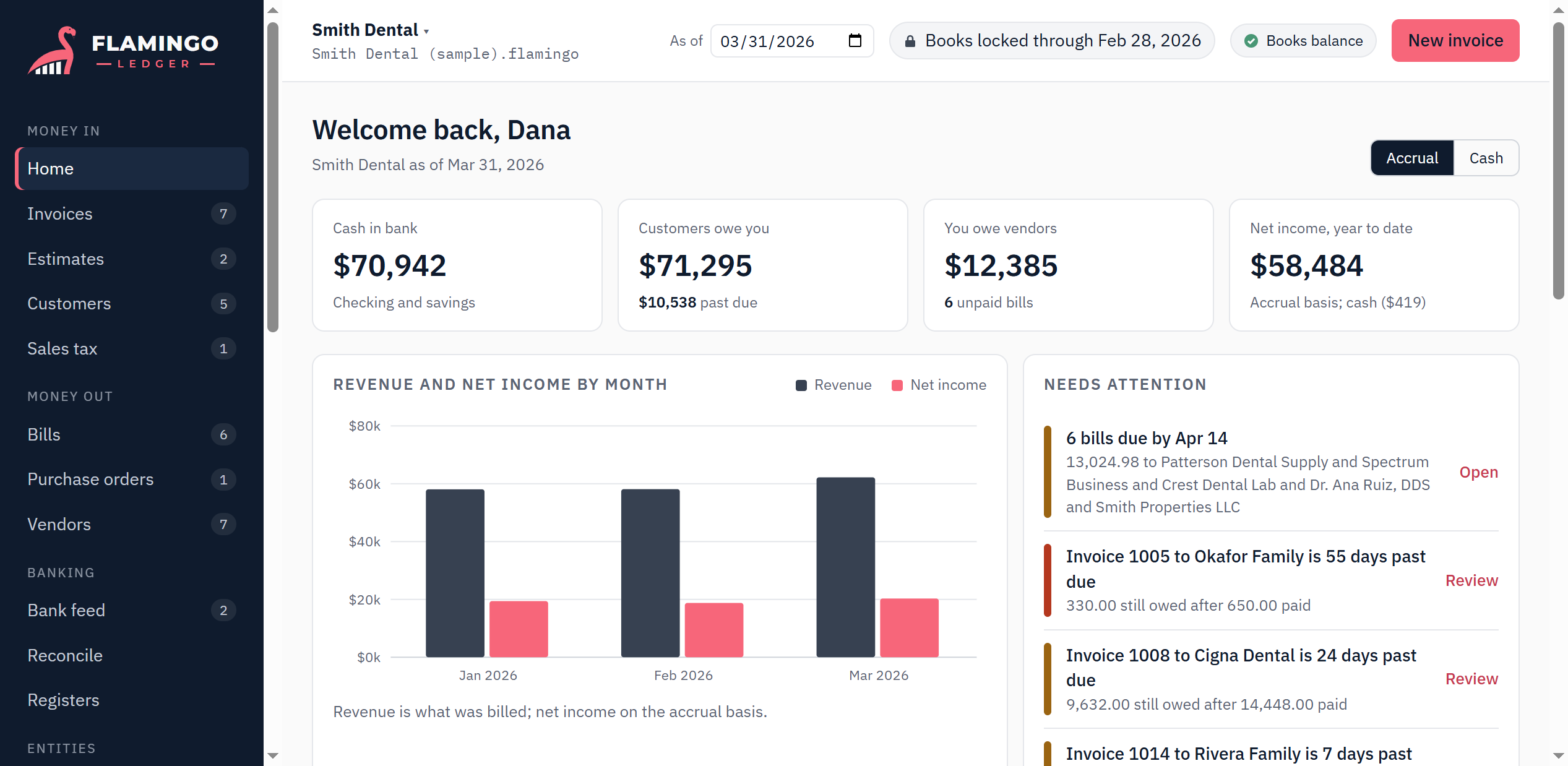
If you've used QuickBooks Desktop, the screens will feel familiar: invoices and bills, registers, a bank feed, and the reports your accountant asks for.
Intercompany without the spreadsheet
Paid a business expense from your personal card? Record it once. Flamingo posts it in both sets of books, tracks who owes whom, and can bill the other entity with a matching bill on its side.
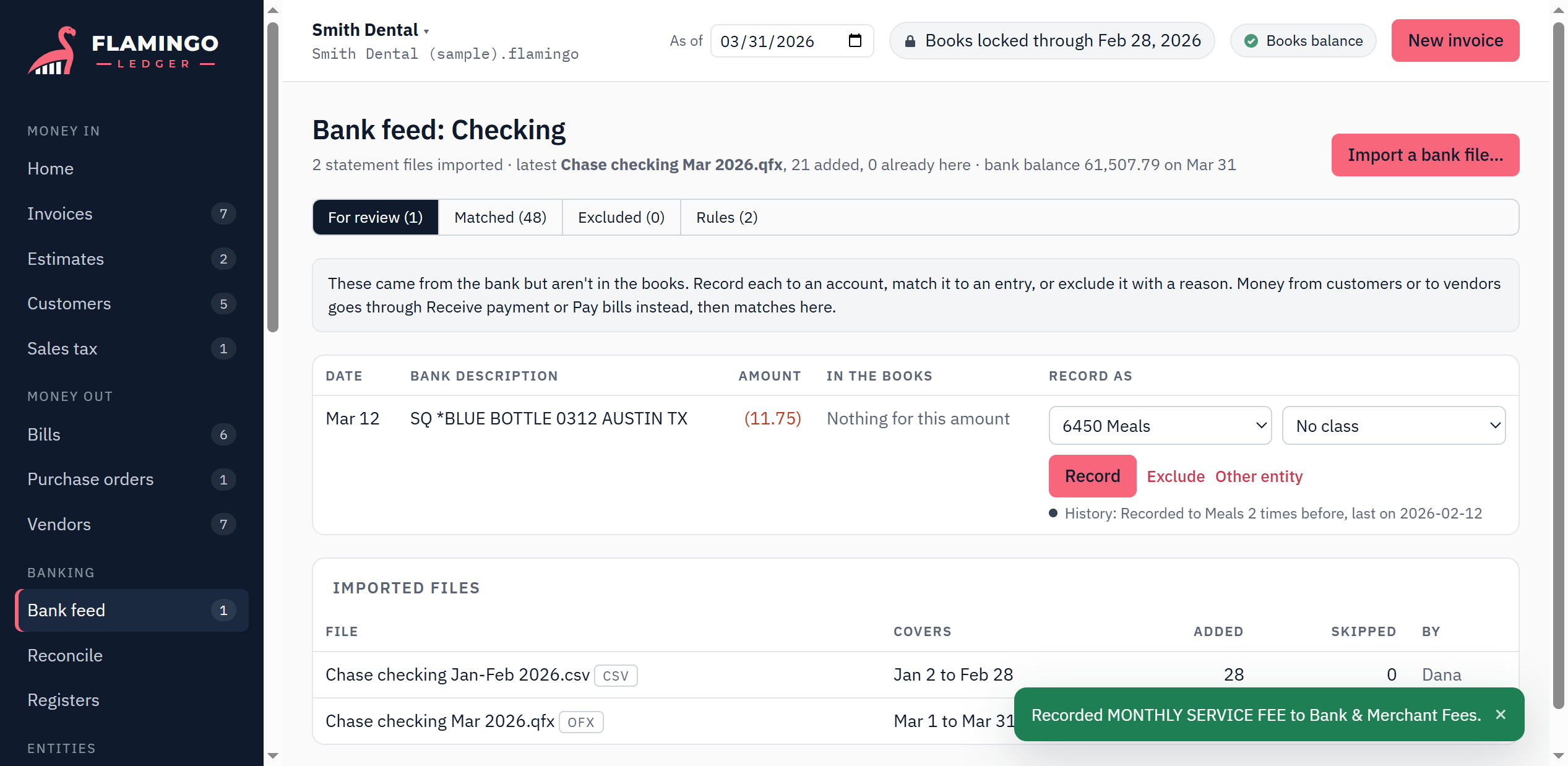
Bank files in, matched and categorized
Import the statement file your bank already gives you (OFX, QFX, QBO or CSV). Flamingo matches what's already in the books, remembers how you categorized each payee, and never imports the same line twice.
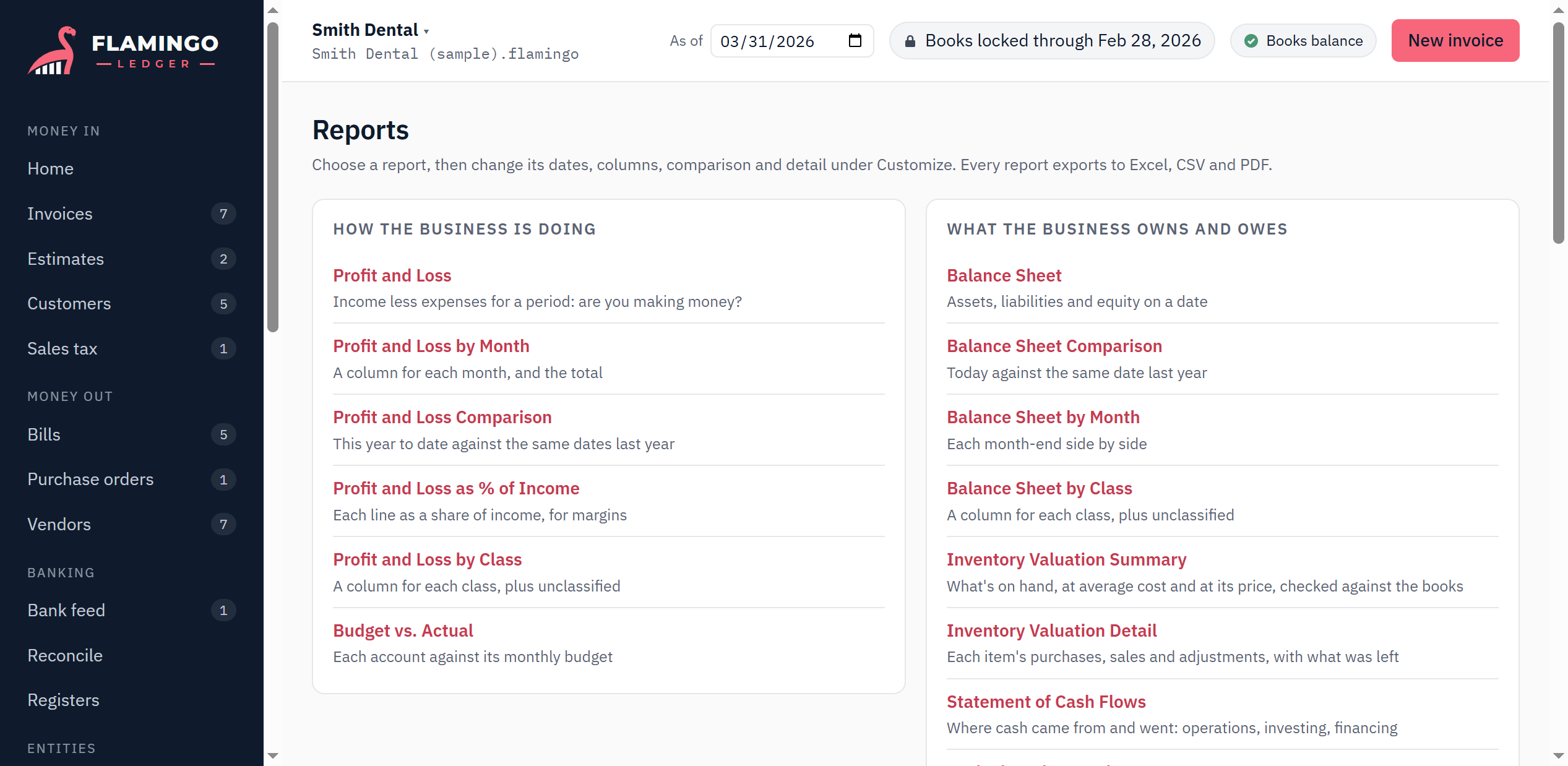
Reports you can shape and save
Profit and loss, balance sheet, cash flows, aging, sales by customer, tax lines and more. Change the dates, columns, comparisons and filters, save it under a name, and export to Excel, CSV or PDF.
Invoices and estimates
Progress invoicing, credit memos, statements, and emailing PDFs from your own mailbox.
Bills and purchase orders
Pay many vendors at once, print checks, and draw orders down as things arrive.
Reconciliation
Finishes only when the difference is zero, with a report for every month.
Sales tax
Combined rates split across agencies, the liability report and payments.
Products and inventory
Quantity on hand at average cost, with cost of goods posted for you.
Classes
Track locations or departments on any line, with a P&L and balance sheet by class.
Recurring transactions
Rent, subscriptions and monthly invoices, entered automatically or as reminders.
Attachments
Receipts and contracts kept inside the company file, beside the record they belong to.
Tax-time help
1099 tracking, and accounts mapped to Schedule C or Form 1120-S lines.
Early access
What's ready, and what's coming.
Flamingo Ledger is new. Here's where it stands today, so you can decide whether it fits.
Ready now
- The Windows desktop app, working fully offline
- Everything listed above, with a sample company to try
- An online version that opens the same books in a browser (invitation only)
On the way
- Importing from QuickBooks
- Several people working in the same company, with roles
- A "Pay now" link on invoices, and live bank feeds
- Importing payroll from Gusto, ADP and others
- A Mac version
Help shape it
What should Flamingo Ledger do for you?
Flamingo Ledger is being built from scratch, and what gets built next comes from the people who'll use it. Tell us what you'd need to switch, what drives you crazy in what you use now, or the one thing you wish accounting software did.
Every note is read by a person.
Early access
Request a download.
Flamingo Ledger is opening up a few people at a time, so each request is reviewed by hand. Once yours is approved, you'll get a personal download link by email.
Then install it, open the sample dental practice and click around: every screen and report works on real-looking books. When you're ready, start your own company file.
For Windows 10 and 11. Already invited to the online version? Sign in.